Inside Noor
Read, listen, and follow along with the Quran.
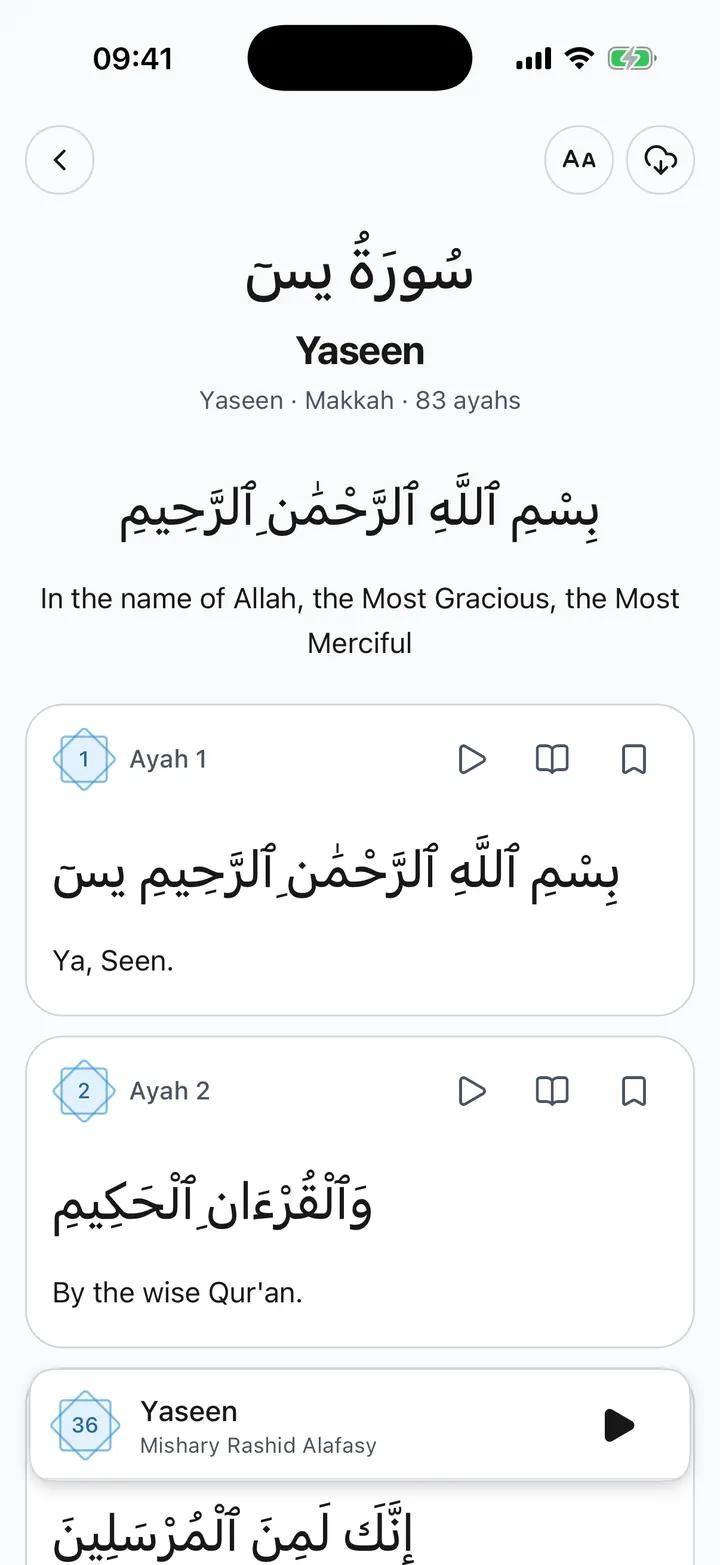
Read and Listen to the Quran
Read Arabic Quran text, listen to recitation, follow highlighted ayahs and save your place in Noor.
- Arabic text, transliteration and available translations
- Reciters, playback speed, ayah repeat and follow-along highlighting
- Bookmarks, tafsir, tajweed colours and offline reading for opened surahs
The details
Made for the moments that matter
In short:Noor includes the Quran in Arabic with transliteration and available translations, recitation from selectable reciters, and highlighting of the current ayah as audio plays. You can adjust playback speed, repeat an ayah, open tafsir, switch on tajweed colours and save bookmarks. Surahs you have opened stay on your phone for offline reading. Quran reading works without an account and without a Premium purchase, and translation and spoken-meaning coverage varies by language.
Read at your pace
Read Arabic, transliteration and available translations. Adjust reading settings, use bookmarks and continue where you left off. Opened surahs stay on your phone for offline reading.
Listen and follow along
Choose a reciter, adjust playback speed and repeat an ayah. Noor highlights the current ayah as recitation plays.
Explore the meaning
View tafsir and switch on tajweed colours with a colour guide. Spoken meanings are available in supported languages; Quran translation and spoken-meaning coverage varies by language.
Make room for prayer in your day
Prayer times, Qibla and Quran are available without a Premium purchase.